PassPic vs. Other Photo Apps
Most apps just crop your selfie and swap the background. PassPic creates a completely new, studio-quality photo from scratch
😑 Other Apps
✗ Just crop & remove background
✗ Your bad lighting stays
✗ Wrong angle stays wrong
✗ Still obviously a selfie
✗ Higher chance of rejection
✦ PassPic
✓ Creates a brand-new photo
✓ Perfect studio lighting
✓ Correct framing every time
✓ Looks professionally taken
✓ Built to meet spec exactly
See the difference - same person, same selfie
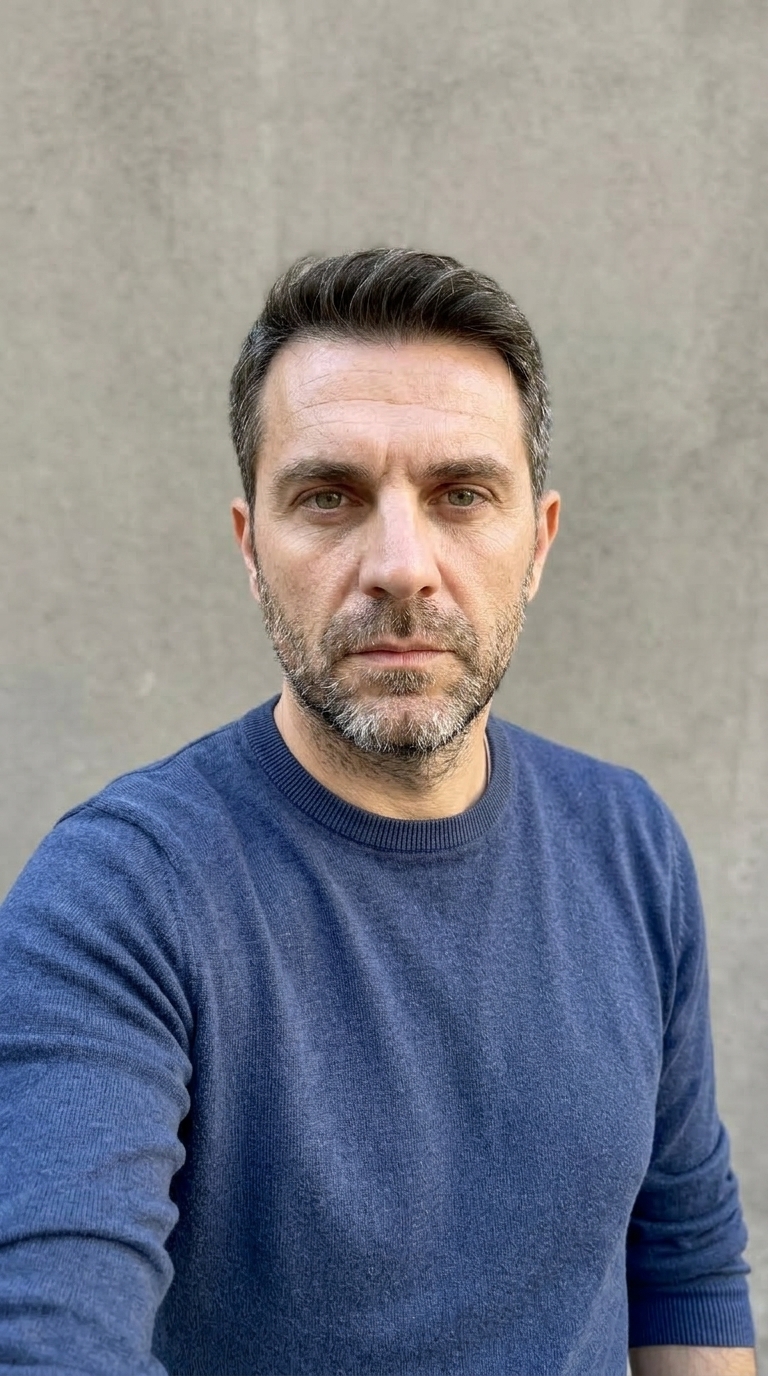
Before
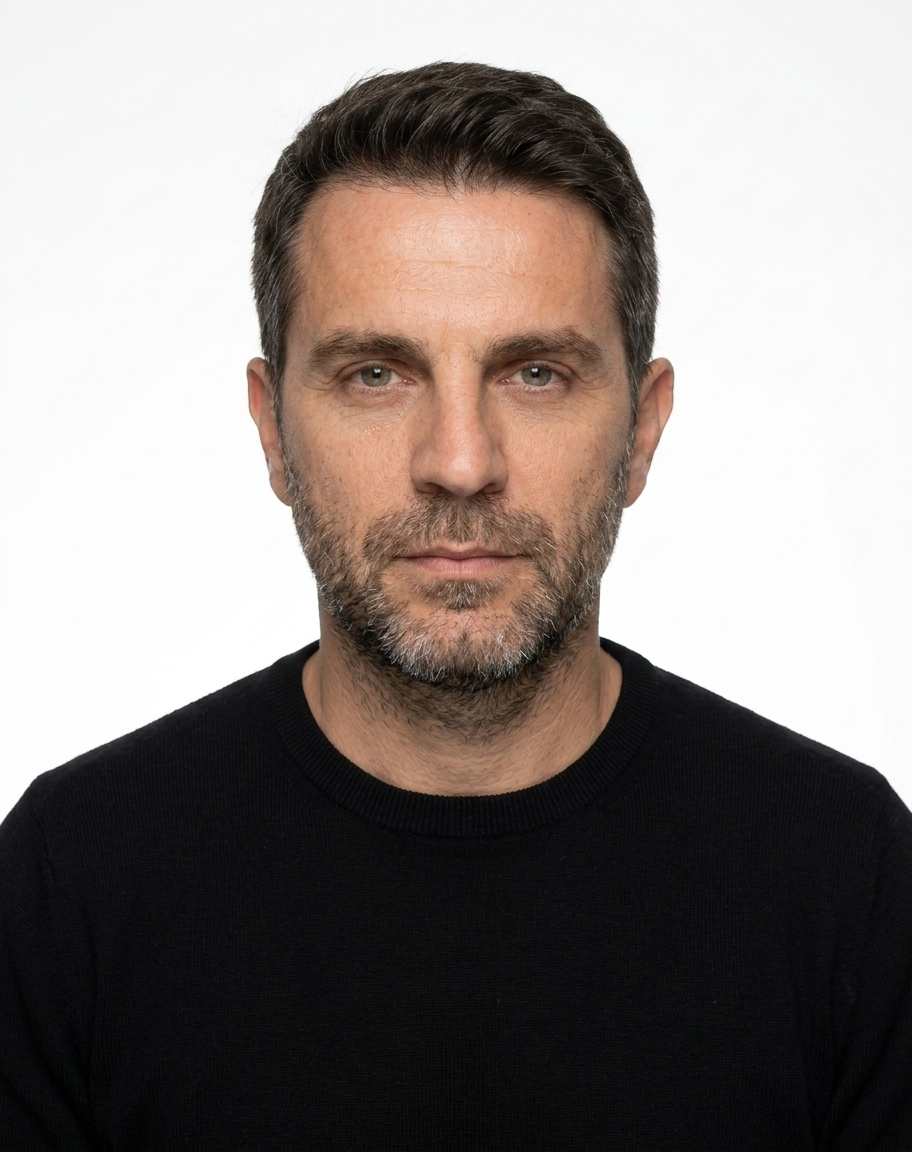
After - PassPic
Real example - same person, one selfie uploaded
Passport photos at the post office cost $15–20
PassPic delivers studio-quality results from your phone - instantly, without leaving home.
$15–20
$4.99
Private & Secure
Photo deleted after processing
Ready in 30 sec
No appointment, no waiting
40+ Countries
All major documents
1
Upload Your Photo
Tap to upload or take a selfie
Any selfie works - JPG, PNG, HEIC · Max 10MB
2
Document Type
Dimensions
51 × 51 mm
600 × 600 px
Background
White
Max 240 KB
How PassPic Works
1
Take the Right Selfie
The better your reference photo, the better your result. Use good lighting, face the camera straight on, keep a neutral expression with mouth closed, and remove glasses or hats. See the tips above for guidance.
2
Select Document Type
Choose your country and document. We auto-apply the correct size, background, and face positioning requirements for that specific document.
3
We Generate a Brand-New Photo
Unlike other apps that just crop or remove background, PassPic generates a completely new photorealistic passport photo - perfect studio lighting, correct background, proper framing. Every time.
4
Download as PNG or PDF
Get your photo as a high-resolution PNG or a print-ready PDF with 4 photos on a standard sheet. Take it to any photo center or print at home.
Frequently Asked Questions
Yes. PassPic uses your uploaded photo as a face reference to preserve your facial identity - same face, skin tone, and features - but with perfect passport photo framing, lighting, and background.
Our photos are generated to meet official government specifications for each supported country. However, PassPic cannot guarantee acceptance - final approval is always at the discretion of the issuing authority. We strongly recommend verifying current requirements with the relevant government office before submission.
No. Your uploaded photo is processed securely and is not stored or retained on our servers. See our Privacy Policy for full details.
Try uploading a better reference photo - good front-facing lighting makes the biggest difference. Make sure you're looking straight at the camera with a neutral expression and no glasses.
Yes, we support photo specifications for visa applications across 40+ countries. Select the correct visa document type from the dropdown.
Legal